
Developer Tools.
One Beautiful App.
In Your Pocket, On Your Desk.
A local-first native Database Client, SSH terminal, and S3/SFTP/FTP browser - unified in one blazing-fast app. For Android, iOS, Windows, macOS & Linux.
 PostgreSQL
 MySQL
MySQL
 Oracle DB
 SQL Server
 SQLite
 MariaDB
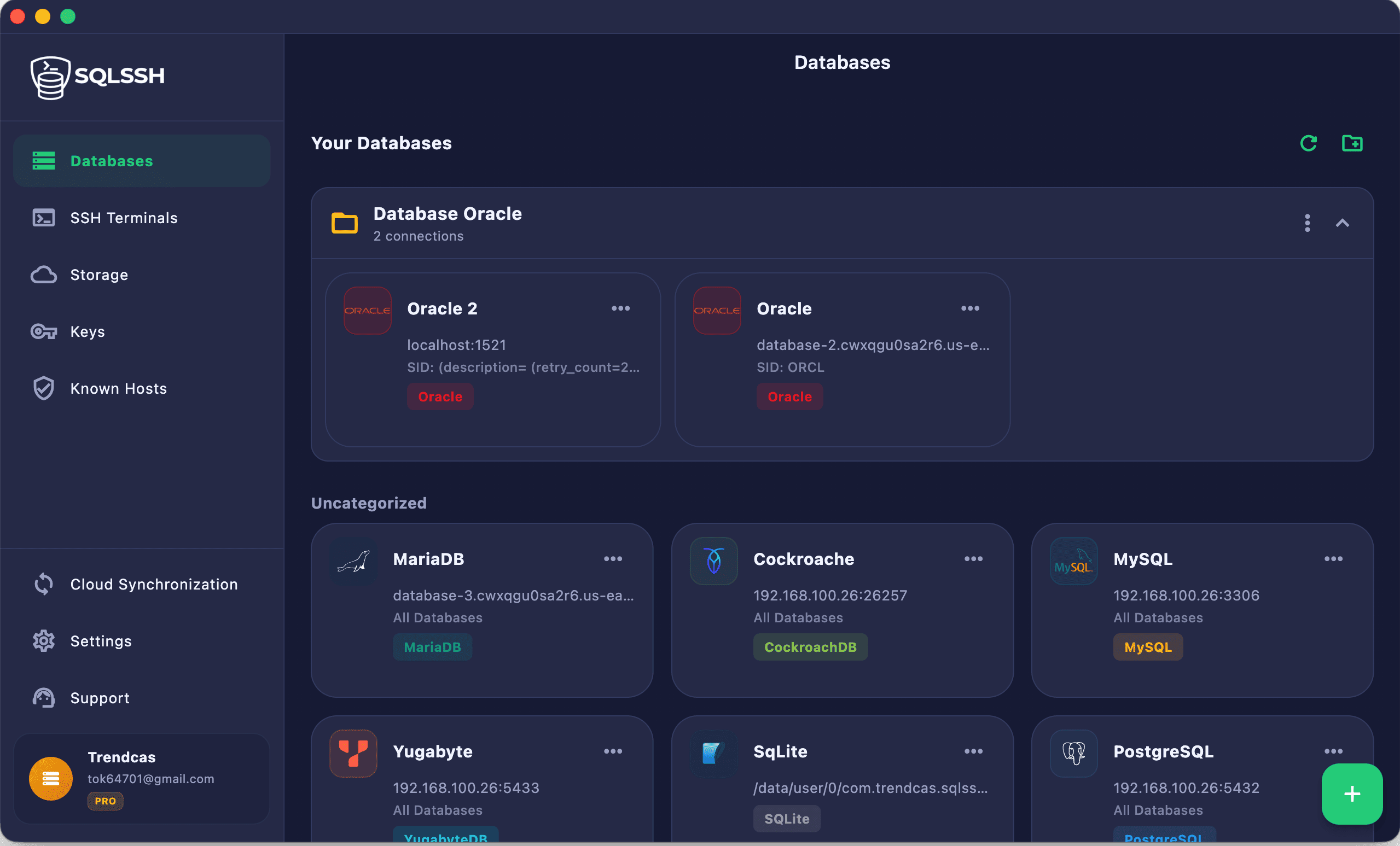
Designed for Database, Server & Cloud Storage Operations
Stop fragmenting your workflow across different apps and devices. Connect to your database engines, servers, and storage in one unified client that runs beautifully on desktop, mobile, and tablet.
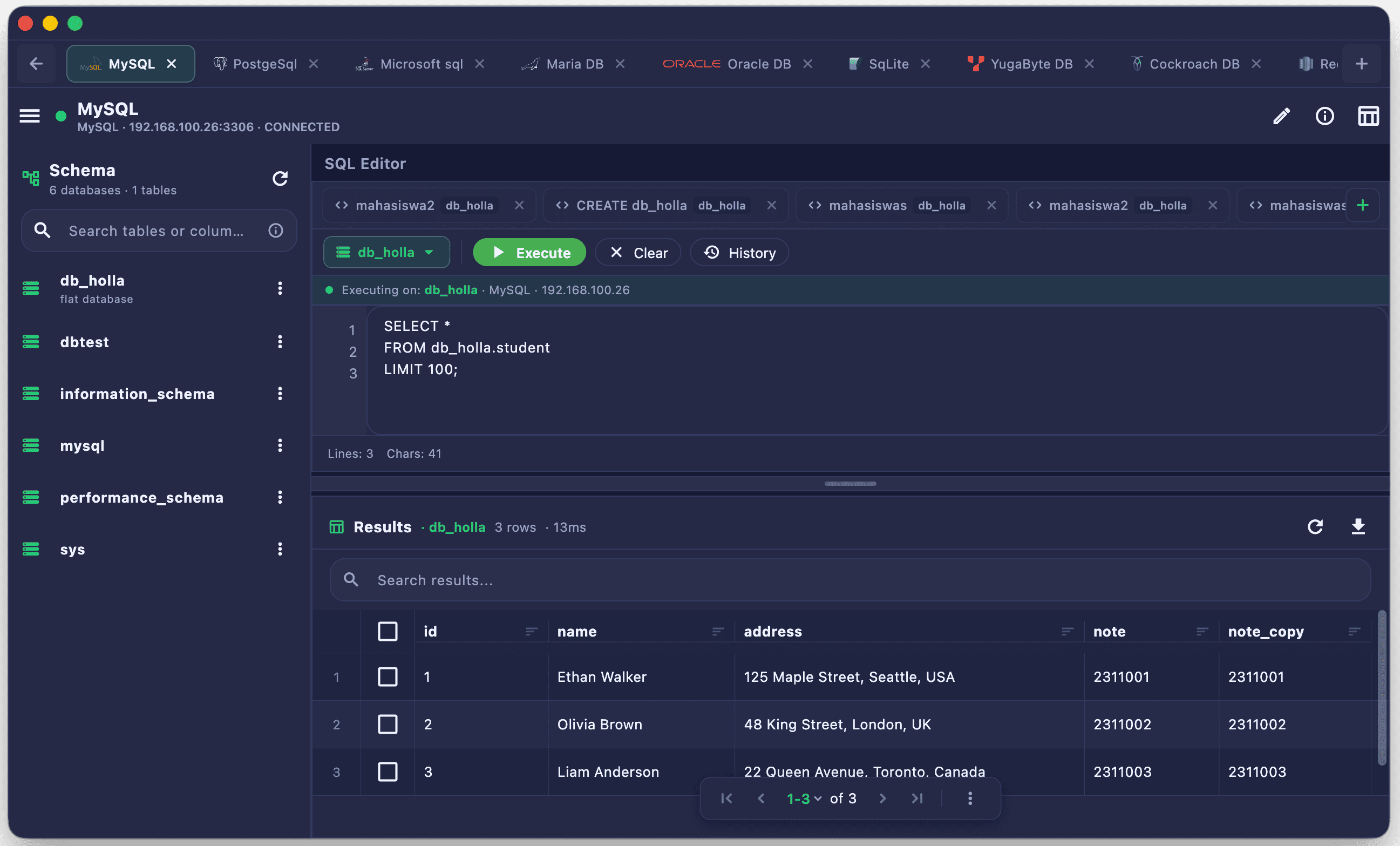
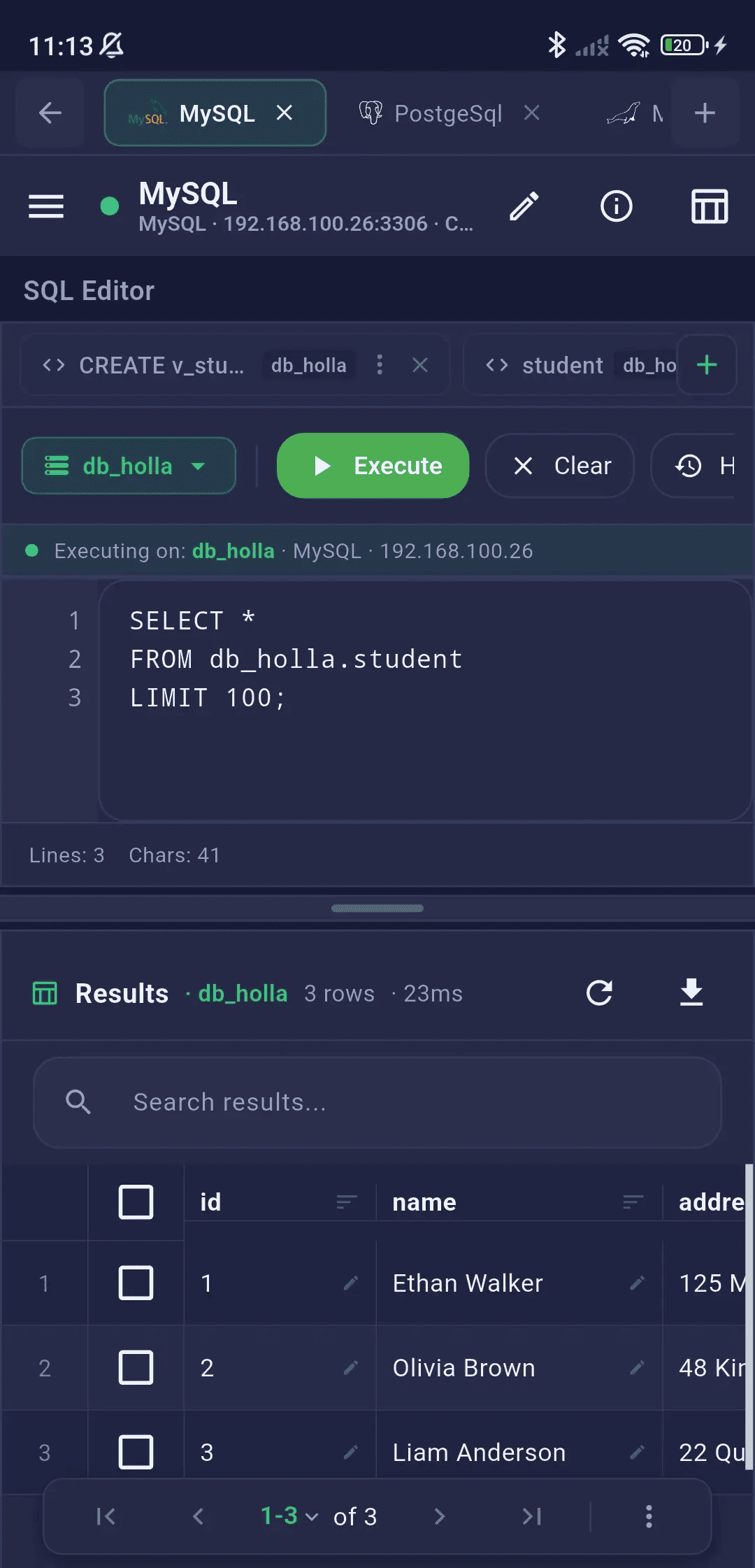
Fast & Native SQL Editor
Write and run queries with database-specific auto-completion, switch connections instantly, and examine large datasets in a highly responsive native grid optimized for both keyboard and touch inputs.
- ✓ Live database schema navigator
- ✓ Multi-query execution support
- ✓ Auto-Commit/Rollback & Transactions
- ✓ Export Files
-- Fetch active user data
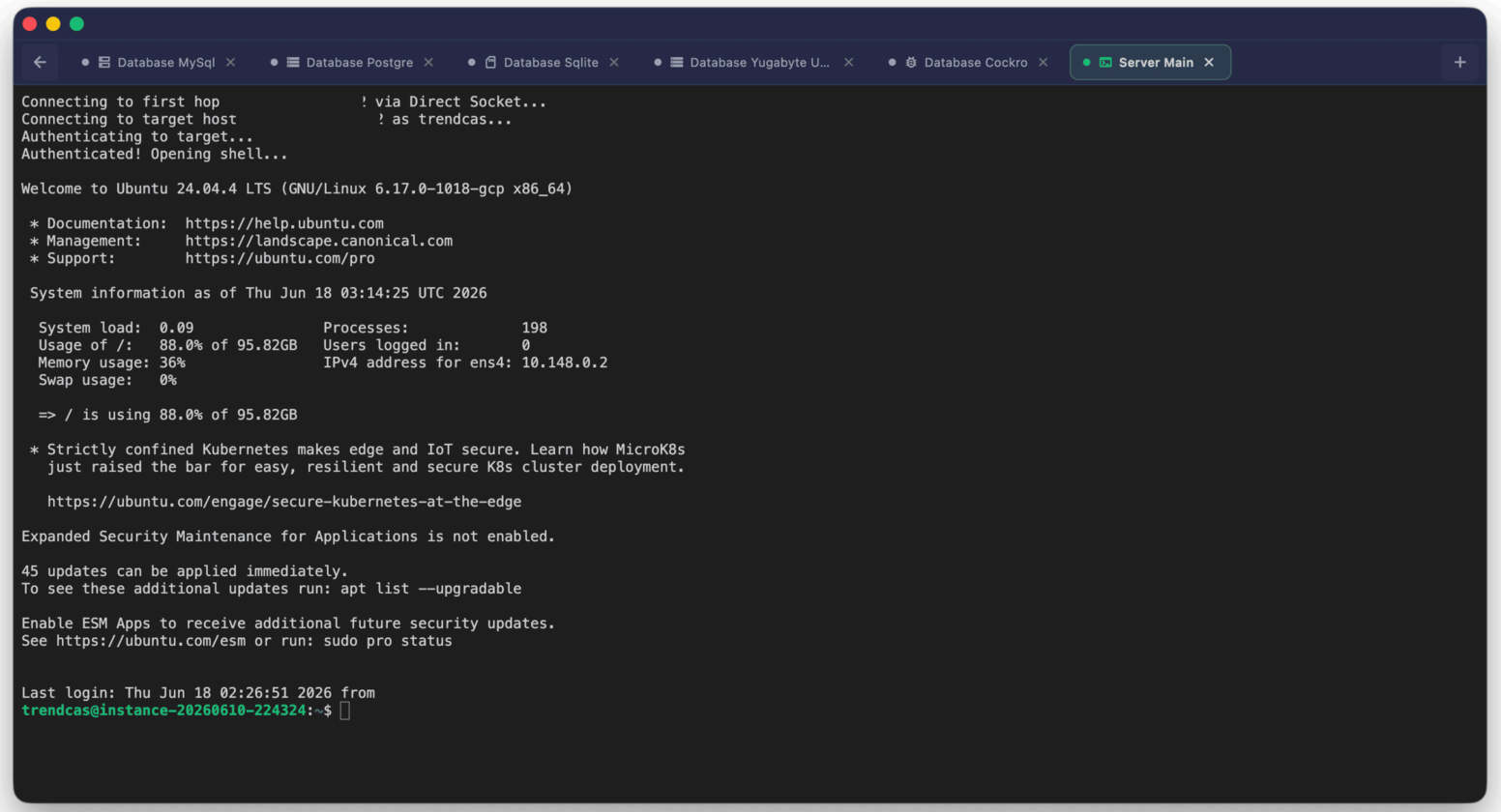
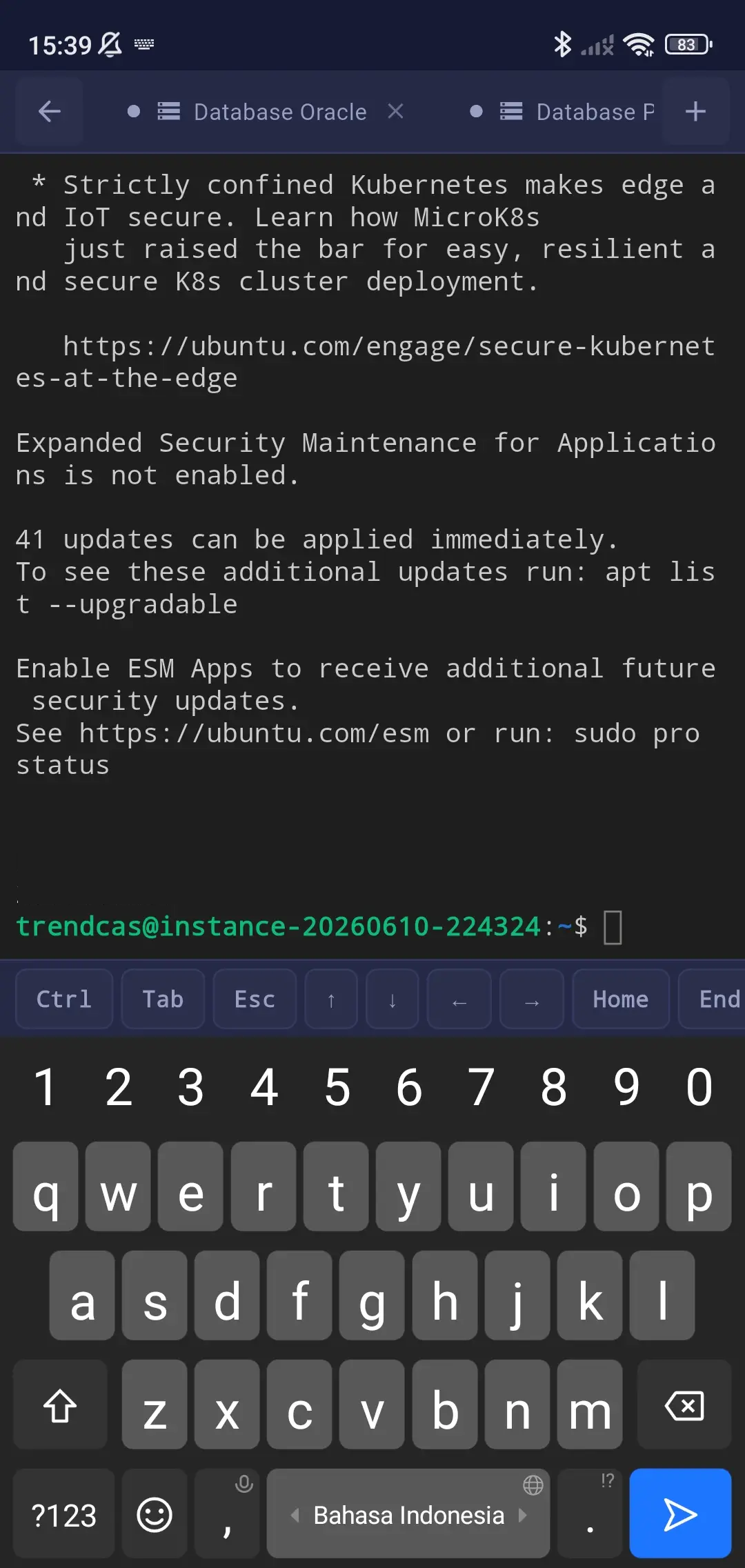
SSH Command Terminal
Run server commands, manage system files, edit scripts, and monitor infrastructure natively right inside the application.
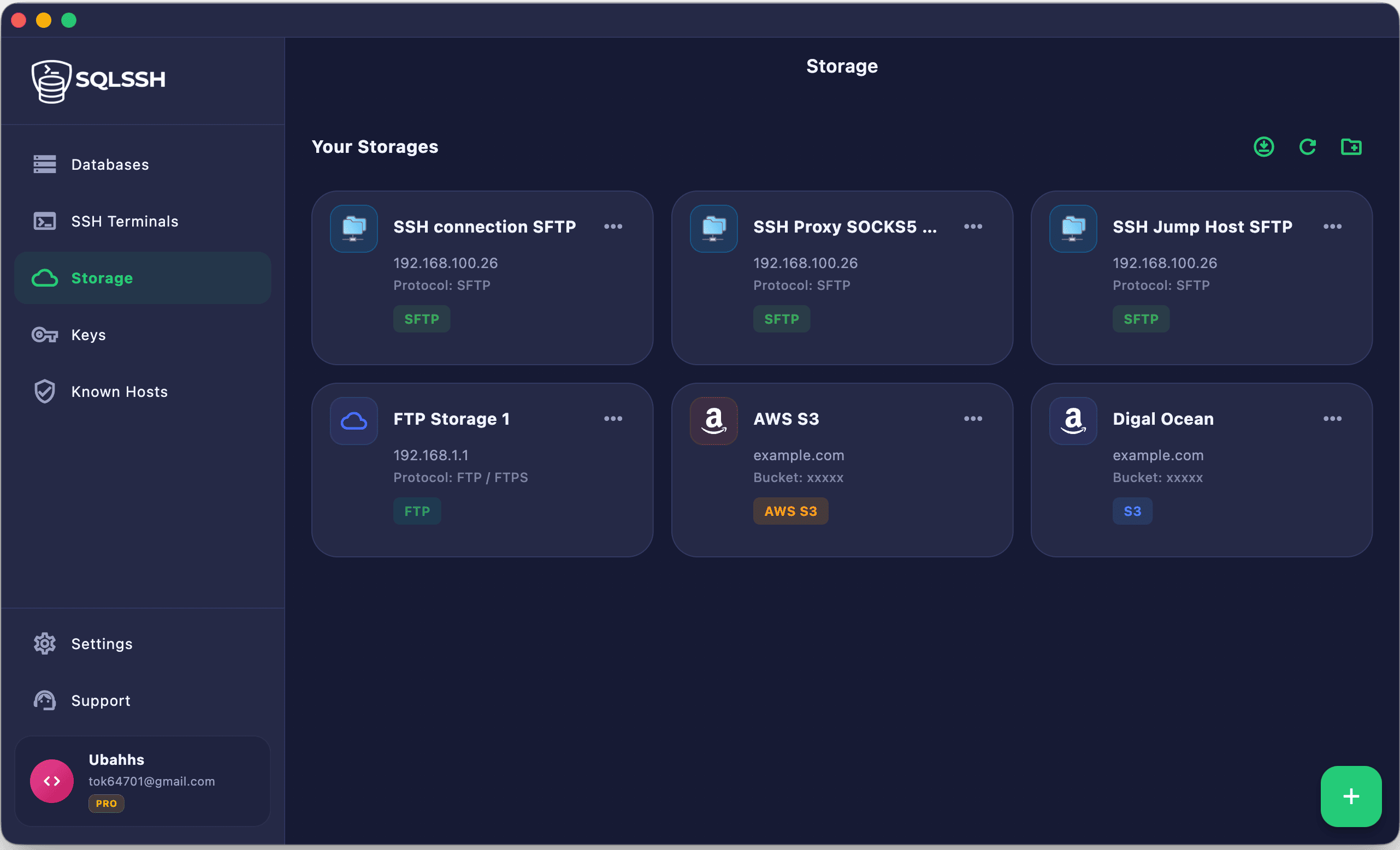
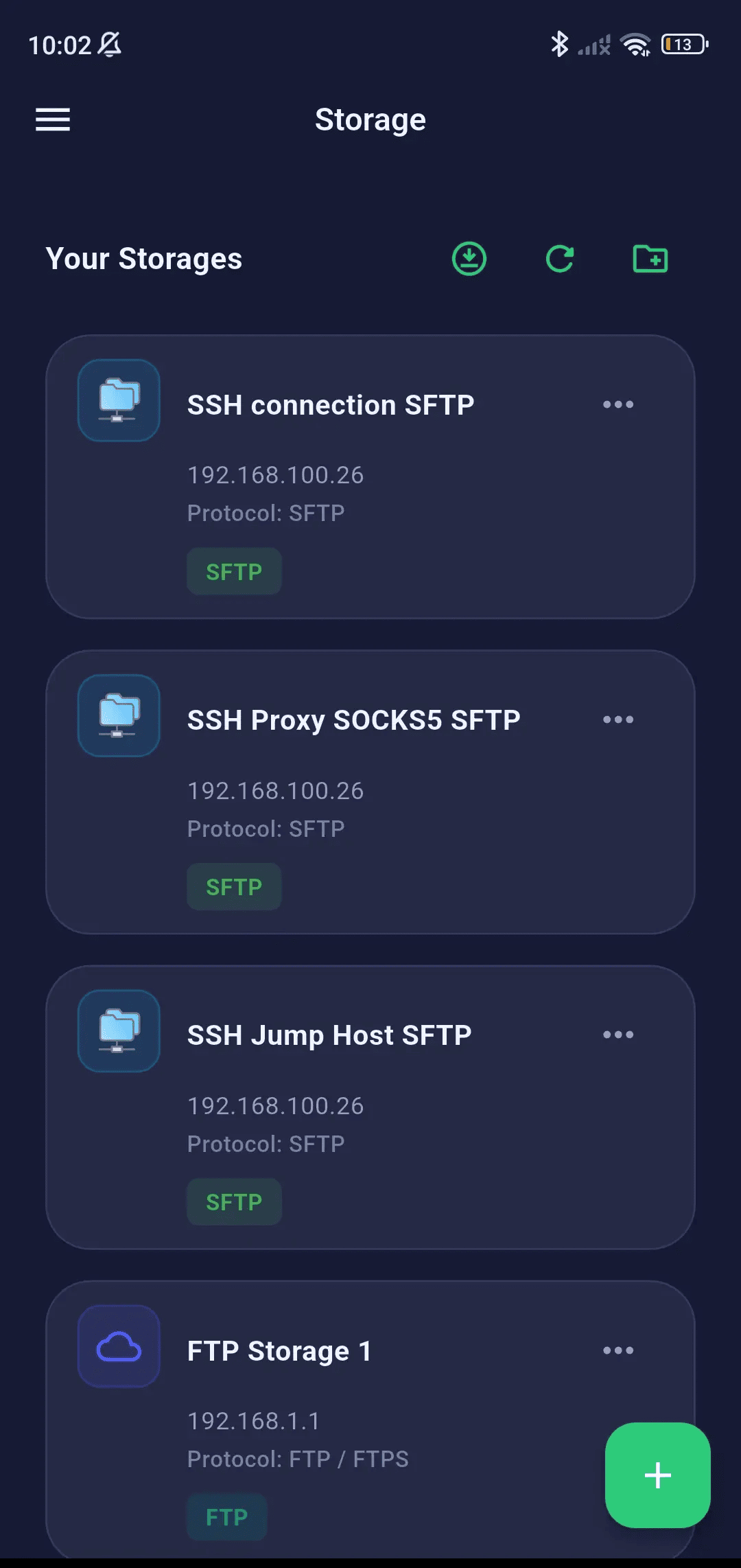
Cloud & SFTP Storage
Browse files and manage folder structures on remote servers, S3, or SFTP hosts. Transfer files in background queues with connection checks.
- ✓ SFTP, FTP, AWS S3 & S3-Compatible
- ✓ Directory breadcrumbs & search
Secure Key Manager
Store, import, and organize passphrase-protected SSH keys. Kept encrypted on-device and never exposed as plaintext.
Blazing Fast Performance
Built with highly optimized compiled code to launch under a second, consume minimal RAM, and conserve battery life whether running on a workstation or a mobile device.
- ✓ Direct compilation (No WebViews)
- ✓ Sub-second startup & low RAM footprint
- ✓ Smooth animations & high framerates
100% Local-First Security
All connection credentials, passwords, and private SSH keys are stored only on your device, locked by AES-256 and secure enclaves. Zero cloud exposure by default. No data passes through our servers.
Learn about security →Multi-Tab & Split Layouts
Compare query results or monitor logs simultaneously. Open database workspaces and terminal consoles side-by-side or stacked to optimize screen real estate.
Secure Bastion & SOCKS5 Tunneling
Access isolated database engines inside private VPCs. Tunnel connections securely via SSH bastions or SOCKS5 proxies while administering hosts in real time.
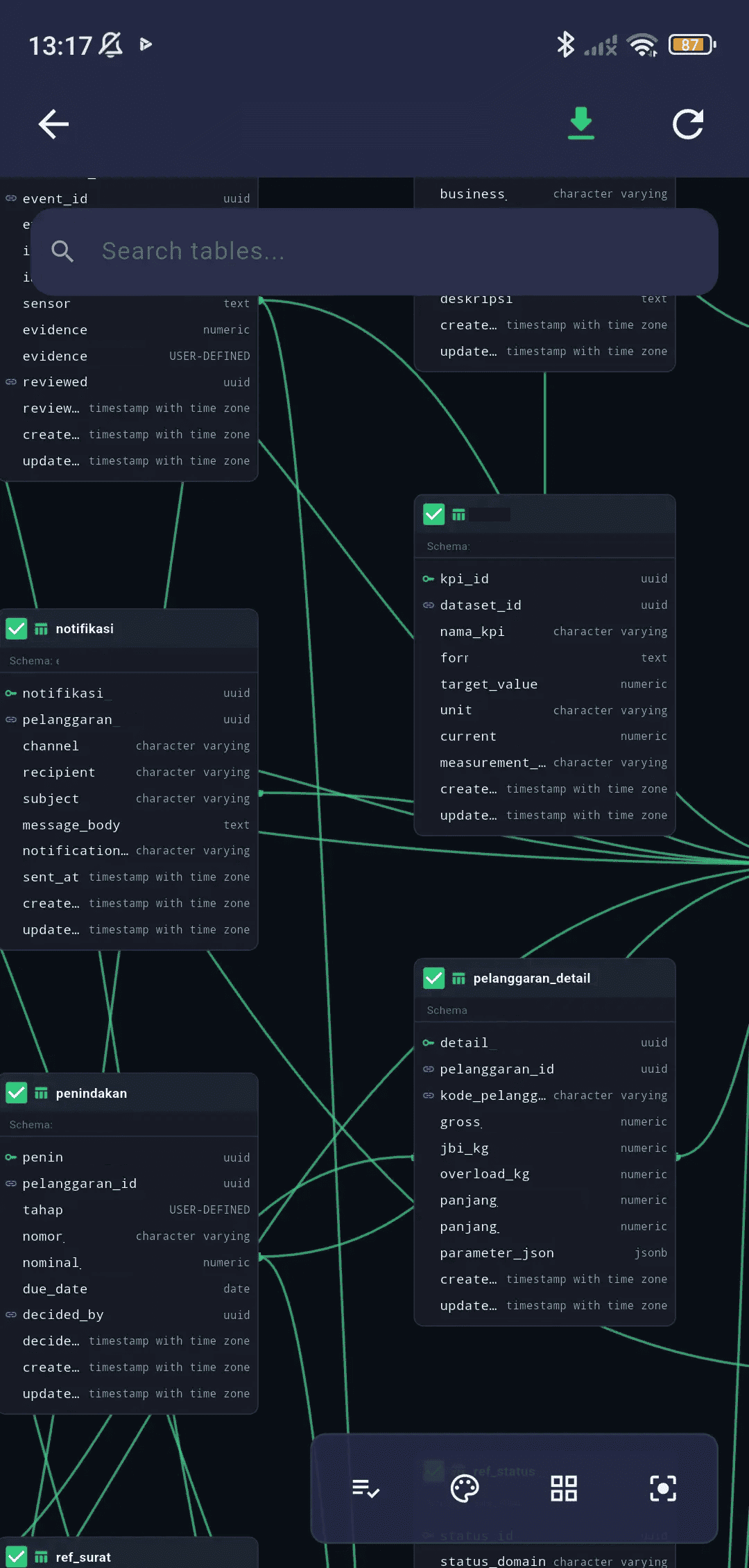
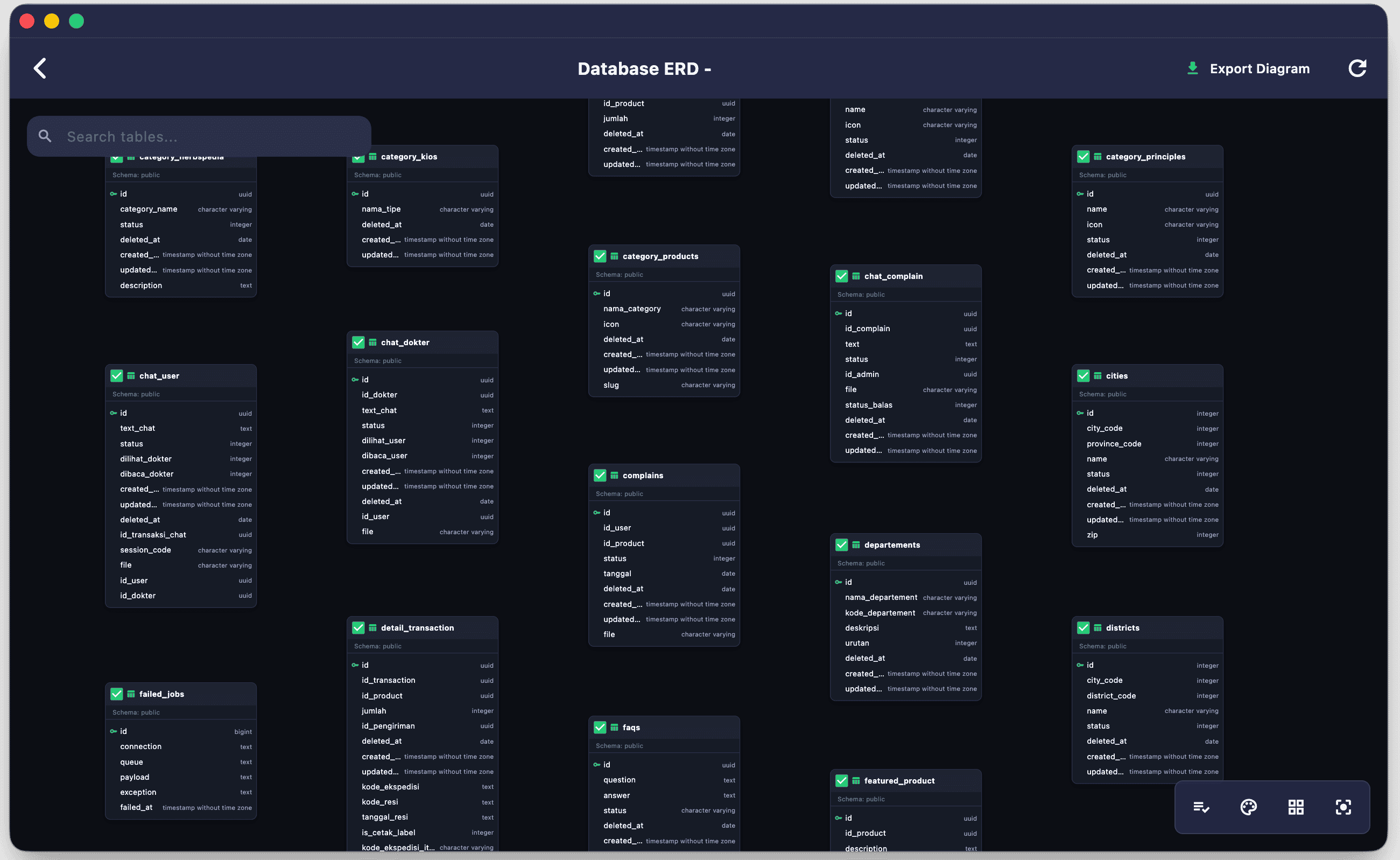
Visual Schema Browser
Inspect table definitions, column types, primary keys, and indexes instantly inside a visual directory navigator sidebar.
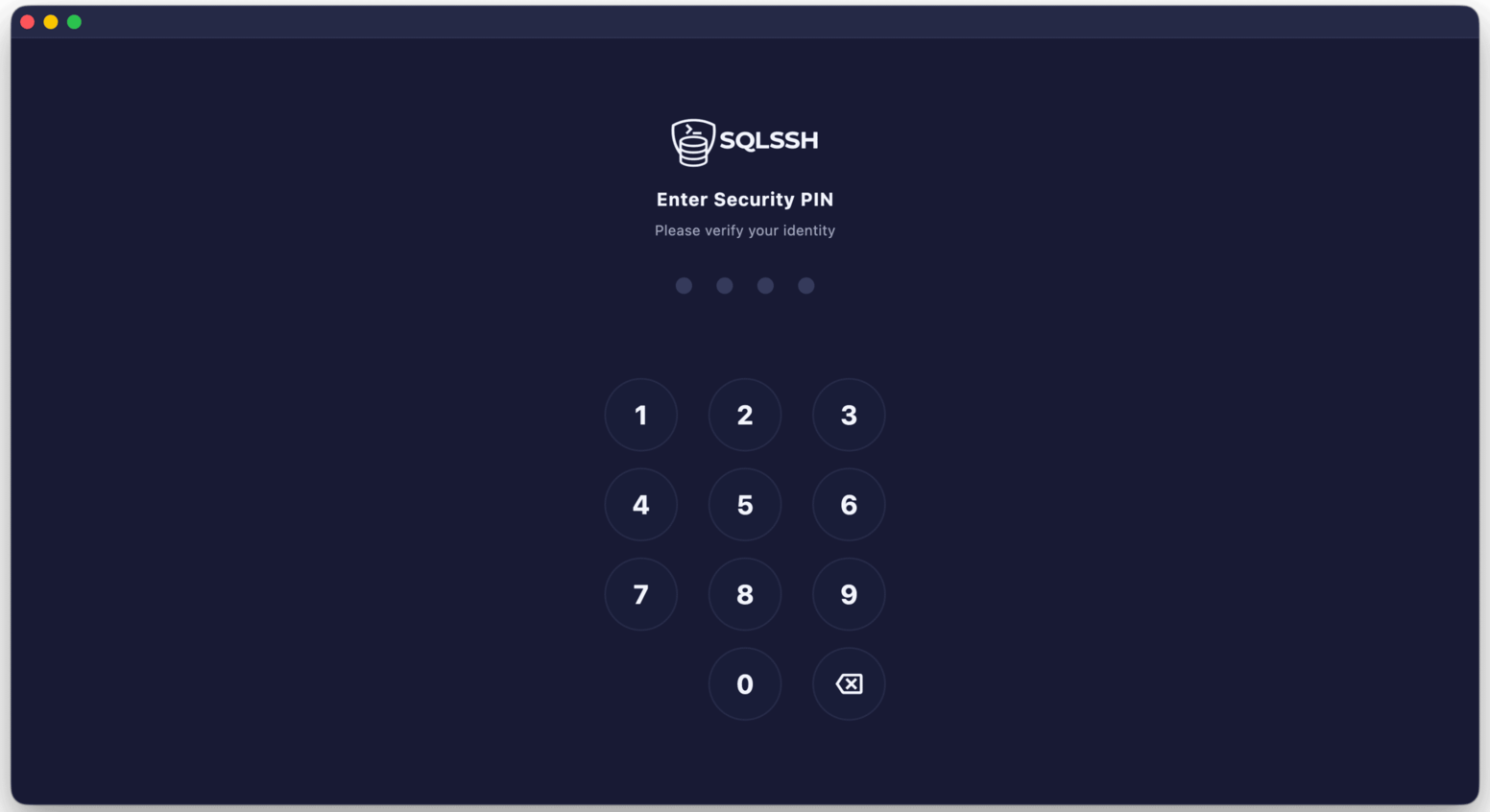
Biometric Security Lock
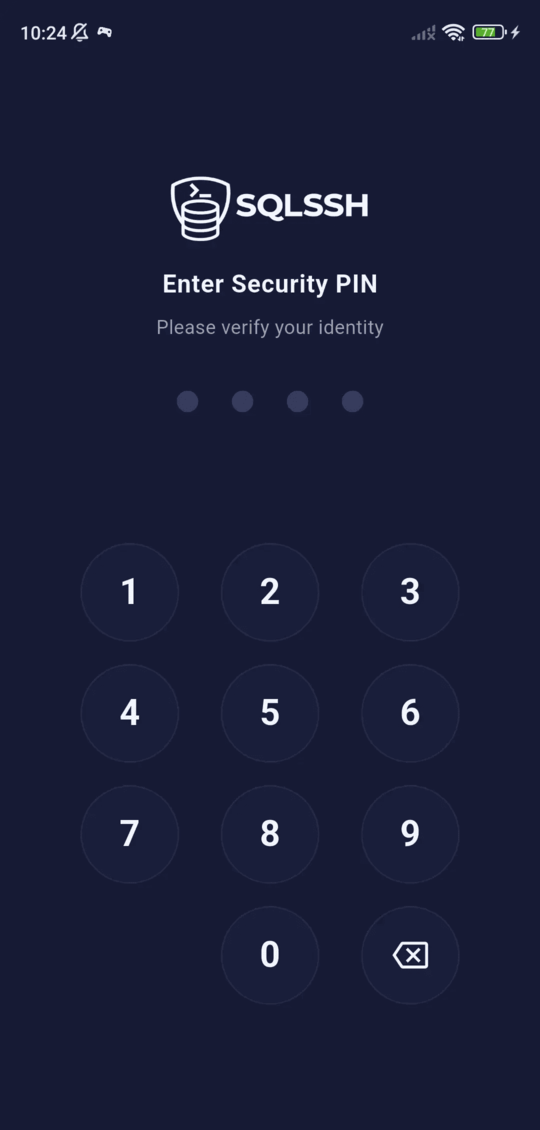
Secure database passwords and private keys. Protect app entries using quick biometrics (Face ID, Touch ID, Windows Hello) and entry PIN codes.
Data Import & Export
Easily ingest CSV or JSON datasets directly into database tables, export query results instantly, and generate custom SQL patches on the fly.
Query Snippets & History
Track all previously executed statements automatically. Save complex SQL commands as shortcuts to run them with a single click.
Dialect SQL Wizards
Write database-specific commands effortlessly. Smart sequence `.NEXTVAL` loaders, native UUID `SYS_GUID()` helpers, and automatic `TO_DATE` query wrapping protect you from syntax errors.
End-to-End Encrypted Sync
Work on your desktop, and instantly recover your tabs and connection profiles on your phone. Synced connections are secured using client-side AES-256 E2EE key vaults.
Workspace Tour
Explore high-performance database client workspaces, command line terminals, and cloud storage browsers side-by-side or in tabs.
Zero-Knowledge Storage & Secure Enclaves
We believe that database passwords and system configurations must remain strictly private. SQLSSH is built with a local-first, zero-knowledge architecture:
- Hardware-Backed Storage: Your server credentials and private keys are encrypted on your device's secure enclave (iOS/iPadOS Keychain / Android Keystore).
- Safe Remote Tunneling: Direct end-to-end SSH connections from your device. Your passwords and data streams are never routed through our servers.
- Private Syncing: Encrypted sync parameters protect connection profiles and query scripts when moving between mobile and desktop platforms.
AES-256
Local Storage Credential Encryption
Biometrics
Hardware-Backed Credentials Isolation
Direct IP
No Middleman Database Proxies
Flexible & Clear Pricing
Get started with standard tools or upgrade to Pro for cloud backups and advanced workflows.
Free Tier
For developers who want a powerful local database manager and terminal console.
- ✓ Single active connection session at a time
- ✓ Max 2 total connections (MySQL/PostgreSQL)
- ✓ Unlimited local SQLite databases
- ✓ Max 1 Storage Client connection (S3/SFTP)
- ✓ Max 1 SSH Terminal connection
- ✓ Max 10 saved queries (bookmarks)
- ✓ Standard query editor & schema explorer
- ✓ Basic Visual Database & Schema ERD Diagrams
- ✓ Basic light & dark mode themes
Pro Developer
*Prices include local taxes (VAT/PPN) or $9.00 paid monthly
For professionals and operations teams working across multiple active devices.
- ✓ Unlimited Saved Connections
- ✓ Unlimited Storage Client connections (S3/SFTP/FTP)
- ✓ Unlimited SSH Terminal connections
- ✓ Multi-session Tabs (up to 10 concurrent connections)
- ✓ Secure SSH Jump Host / Bastion server tunneling
- ✓ SOCKS5 and HTTP CONNECT proxy support
- ✓ End-to-End Encrypted Cloud Sync (AES-256 E2EE)
- ✓ Folder organization for database & SSH profiles
- ✓ Save up to 500 queries
- ✓ Cloud & Warehouses (Redshift, Aurora, Cockroach, Yugabyte)
- ✓ Enterprise & local databases (MariaDB, MSSQL, SQLite)
- ✓ Advanced SQL editor with Auto-Format on Execute
- ✓ Customizable Query Timeout
- ✓ 5 Premium Dark & 5 Premium Light Themes
- ✓ Interactive Visual Database & Schema ERD Diagrams
- ✓ Export ERD Diagrams to PDF
Frequently Asked Questions
Got questions about SQLSSH? Find answers to commonly asked questions below.
Is my database connection data secure?
Absolutely. SQLSSH is built with a zero-knowledge local-first architecture. All database passwords, private SSH keys, and configurations are stored directly on your device, encrypted with AES-256 using your operating system's hardware-backed secure storage (iOS/iPadOS Keychain and Android Keystore). Your credentials and data streams are never sent to or stored on our servers.
How does SSH Bastion / Jump Host tunneling work?
If your database server is isolated inside a private subnet (VPC) without public internet access, you can configure SQLSSH to tunnel its connection through a public-facing SSH bastion server. The client establishes a secure SSH connection to the bastion, opens a secure encrypted tunnel, and routes all SQL queries safely to the database host. We also natively support SOCKS5 and HTTP proxy configurations.
Can I use SQLSSH completely offline?
Yes, SQLSSH is designed to run locally on your machine. You do not need an active internet connection to query local SQLite files, write queries in the SQL editor, browse your schema history, or organize your saved query snippets. An internet connection is only required when connecting to remote database engines or syncing configurations across devices.
How does device synchronization work?
Synchronization is fully end-to-end encrypted (E2EE) using client-side AES-256 encryption. Before your connection profiles, query scripts, and history are uploaded to our encrypted sync cloud, they are encrypted locally on your device using a custom secret key that only you know. This ensures that even we cannot read your synced connection parameters or query content.
Download SQLSSH
Unlock the ultimate unified developer workspace on any device.